1
2
3
4
5
6
7
8
9
10
11
12
13
14
15
16
17
18
19
20
21
22
23
24
25
26
27
28
29
30
31
32
33
34
35
36
37
38
39
40
41
42
43
44
45
46
47
48
49
50
51
52
53
54
55
56
57
58
59
60
61
62
63
64
65
66
67
68
69
70
71
72
73
74
75
76
77
78
79
80
81
82
83
84
85
86
87
88
89
90
91
92
93
94
95
96
97
98
99
100
101
102
103
104
105
106
107
108
109
110
111
112
113
114
115
116
117
118
119
120
121
122
123
124
125
126
127
128
129
130
131
132
133
134
135
136
137
138
139
140
141
142
143
144
145
146
147
148
149
150
151
152
153
154
155
156
157
158
159
160
161
162
163
164
165
166
167
168
169
170
171
172
173
174
175
176
177
178
179
180
181
182
183
184
185
186
187
188
189
190
191
192
193
194
195
196
197
198
199
200
201
202
203
204
205
206
207
208
209
210
211
212
213
214
215
216
217
218
219
220
221
222
223
224
225
226
227
228
229
230
231
232
233
234
235
236
237
238
239
240
241
242
243
244
245
246
247
248
249
250
251
252
253
|
## TaSTT: A deliciously free STT
TaSTT (pronounced "tasty") is a free speech-to-text tool for VRChat. It uses
[a GPU-based transcription algorithm](https://github.com/openai/whisper) to
turn your voice into text, then sends it into VRChat via OSC.
To get started, download the latest .zip from [the releases page](https://github.com/yum-food/TaSTT/releases/latest).
[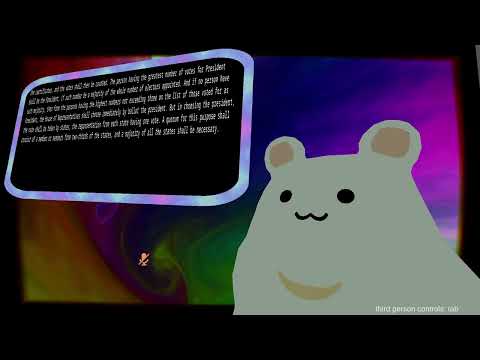](https://youtube.com/watch?v=u5h-ivkwS0M)
Contents:
0. [Usage and setup](#usage-and-setup)
1. [Features](#features)
2. [Requirements](#requirements)
3. [Motivation](#motivation)
4. [Design overview](#design-overview)
5. [Contributing](#contributing)
6. [Backlog](#backlog)
Made with love by yum\_food.
## Usage and setup
Download the latest .zip from [the releases page](https://github.com/yum-food/TaSTT/releases/latest).
Please [join the discord](https://discord.gg/YWmCvbCRyn) to share feedback and
get technical help.
To build your own package from source, see GUI/README.md.
Basic controls:
* Short click to toggle transcription.
* Long click to hide the text box.
* Scale it up/down in the radial menu.
## Features
* Customizable board resolution, [up to ridiculous sizes](https://www.youtube.com/watch?v=u5h-ivkwS0M).
* Lighweight design:
* Custom textbox requires as few as 65 parameter bits
* Transcription doesn't affect VRChat framerate much, since VRC is heavily
CPU-bound. Performance impact when not speaking is negligible.
* Multi-language support.
* Japanese, Korean, and Chinese glyphs included, among many other languages.
* Whisper natively supports transcription in [100 languages](
https://github.com/openai/whisper/blob/main/whisper/tokenizer.py#L10).
* Customizable:
* Control button may be set to left/right a/b/joystick.
* Text color, background color, and border color are customizable in the shader.
* Text background may be customized with PBR textures: base color, normal,
metallic, roughness, and emission are all implemented.
* Border width and rounding are customizable.
* Shader supports physically based shading: smoothness, metallic, and emissive.
* Works with the built-in chatbox (usable with public avatars!)
* Many optional quality-of-life features:
* Audio feedback: hear distinct beeps when transcription starts and stops.
* May also enable in-game noise indicator, to grab others' attention.
* Visual transcription indicator.
* Resize with a blendtree in your radial menu.
* Locks to world space when done speaking.
* Privacy-respecting: transcription is done on your GPU, not in the cloud.
* Hackable.
* From-scratch implementation.
* Free as in beer.
* Free as in freedom.
* MIT license.
## Requirements
* ~8GB disk space
* I apologize that this is so big. The libraries used to perform
GPU-accelerated transcription (pytorch and whisper) are really,
really big. There is no performant implementation of Whisper or a
any other comparable algorithm available in a systems programming
language, so for now we're stuck with this. You only need to
download this stuff once!
* NVIDIA GPU with at least 2GB of spare VRAM.
* You *can* run it in CPU mode, but it's really slow and lags you a
lot more, so I wouldn't recommend it.
* I've tested on a 1080 Ti and a 3090 and saw comparable performance.
* SteamVR.
* No Oculus support, yet.
* Left joystick click must not be bound to anything else.
* No write defaults on your avatar if you're using the custom text box.
For the last 3 bullets: please let me know in the Discord if these are
deal breakers. I'd be happy to fix them!
## Motivation
Many VRChat players choose not to use their mics, but as a practical matter,
occasionally have to communicate. I want this to be as simple, efficient, and
reliable as possible.
There are existing tools which help here, but they are all imperfect for one
reason or another:
1. RabidCrab's STT costs money and relies on cloud-based transcription.
Because of the reliance on cloud-based transcription services, it's
typically slower and less reliable than local transcription.
2. The in-game text box is not visible in streamer mode, and limits you to one
update every ~2 seconds, making it a poor choice for latency-sensitive
communication.
3. [KillFrenzy's AvatarText](https://github.com/killfrenzy96/KillFrenzyAvatarText)
only supports text-to-text, and is GPL, making it legally risky for people
who want to sell closed-source software.
4. [I5UCC's VRCTextboxSTT](https://github.com/I5UCC/VRCTextboxSTT) makes
KillFrenzy's AvatarText and Whisper kiss. It's the closest spiritual cousin
to this repository. There are two crucial differences: it's GPL not MIT, and
it doesn't abstract away the command line.
5. [VRCWizard's TTS-Voice-Wizard](https://github.com/VRCWizard/TTS-Voice-Wizard)
also uses Whisper, but they rely on the C# interface to Const-Me's
CUDA-enabled Whisper implementation. This implementation does not support
beam search decoding and waits for pauses to segment your voice. Thus it's
less accurate and higher latency than this project's Python-based
transcription engine, but it's more performant. It supports more feature
(like cloud-based TTS), so you might want to check it out.
Why should you pick this project over the alternatives? This project has
the lowest latency (measured <500ms end-to-end on mid-range hardware), most
reliable transcriptions of any STT in VRChat, period. There is no network hop
to worry about and no subscription to manage. Just download and go.
## Design overview
These are the important bits:
1. `TaSTT_template.shader`. A simple unlit shader template. Contains the
business logic for the shader that shows text in game.
2. `generate_shader.py`. Adds parameters and an accessor function to the
shader template.
3. `libunity.py`. Contains the logic required to generate and manipulate Unity
YAML files. Works well enough on YAMLs up to ~40k documents, 1M lines.
4. `libtastt.py`. Contains the logic to generate TaSTT-specific Unity files,
namely the animations and the animator.
5. `osc_ctrl.py`. Sends OSC messages to VRChat, which it dutifully passes along
to the generated FX layer.
6. `transcribe.py`. Uses OpenAI's whisper neural network to transcribe audio
and sends it to the board using osc_ctrl.
#### Parameters & board indexing
I divide the board into several regions and use a single int parameter,
`TaSTT_Select`, to select the active region. For each byte of data
in the active region, I use a float parameter to blend between two
animations: one with value 0, and one with value 255.
To support wide character sets, I support 2 bytes per character. This
can be configured down to 1 byte per character to save parameter bits.
#### FX controller design
The FX controller (AKA animator) is pretty simple. There is one layer for each
sync parameter (i.e. each character byte). The layer has to work out which
region it's in, then write a byte to the correct shader parameter.

From top down, we first check if updating the board is enabled. If no, we stay
in the first state. Then we check which cell we're in. Finally, we drive a
shader parameter to one of 256 possible values using a blendtree.

The blendtree trick lets us represent wide character sets efficiently. The
number of animations required increases logarithmically with the size of the
character set:
```
(N bytes per character) = ceil(log2(size of character set))
(total animations) =
(2 animations per byte) *
(N bytes per character) *
(M chars per cell)
```
## Contributing
Contributions welcome. Send a pull request to this repository.
See GUI/README.md for instructions on building the GUI.
Ping the discord if you need help getting set up.
## Backlog
1. Better Unity integrations
1. Port all scripts to Unity-native C# scripts.
2. ~~Support appending to existing FX layers.~~ DONE
3. Use VRCSDK to generate FX layer instead of generating the serialized files.
2. In-game usability features.
1. ~~Resizing (talk to friends far away).~~ DONE
2. ~~Basic toggles (hide it when not needed).~~ DONE
3. ~~World mounting (leave it in a fixed position in world space).~~ DONE
4. ~~Avatar mounting (attach it to your hand)~~ DONE.
5. ~~Controller triggers (avoid having to use the radial menu every time you
want to speak).~~ DONE
3. General usability features.
1. ~~Error detection & correction.~~ DONE
2. ~~Text-to-text interface. Type in terminal, show in game.~~ DONE
3. ~~Speech-to-text interface. Speak out loud, show in game.~~ DONE
4. Translation into non-English. Whisper natively supports translating N
languages into English, but not the other way around.
5. Display text in overlay. Enables (1) lower latency view of TaSTT's
transcription state; (2) checking transcriptions ahead of time; (3)
checking transcriptions without having to see the board in game.
6. TTS. Multiple people have requested this. See if there are open source
algorithms available; or, figure out how to integrate with
7. ~~Save UI input fields to config file. Persist across process exit. It's
annoying having to re-enter the config every time I use the STT.~~ DONE
8. ~~Customizable controller bindings. Someone mentioned they use left click
to unmute. Let's work around users, not make them change their existing
keybinds.~~ DONE
9. One-click upgrade. Fetch latest stable release, copy over virtual env and
UI configs, relaunch.
10. Browser source for OBS. Blocker: the transcription layer doesn't handle
long pauses well.
11. Test suite. Some long representative transcripts with mechanical word
error rate (WER) calculation.
4. Optimization
1. ~~Utilize the avatar 3.0 SDK's ability to drive parameters to reduce the
total # of parameters (and therefore OSC messages & sync events). Note
that the parameter memory usage may not decrease.~~ DONE
2. ~~Optimize FX layer. We have 14k animations and a 1.2 million line FX
layer. Something must be rethought to bring these numbers down.~~ DONE
3. ~~Implement multicore YAML parsing. This will make working with large
animators much more practical.~~ DONE
4. ~~Transcription engine sleep interval increases exponentially up to 1-2
seconds, then jumps back to a short interval once speech is detected.
This should significantly cut down on idle resource consumption. Perhaps
there's even a more efficient way to detect the odds that anything is
being said, which we could use to gate transcription.~~ DONE
5. There are ~64k words in the English language. We could encode each word
using a 16-bit int. On the other hand, suppose you represented each
character using 7 bits per character and transmitted words
character-by-character. The average word length is 4.7 characters, and we
send ~1 space character per word. Thus the expected bits per word in an
optimized version of today's encoding scheme is (5.7 * 7) == 39.9 bits.
The other encoding scheme is thus ~2.5 times more efficient. This could
be used to significantly speed up sync times. (Thanks, Noppers for the
idea!)
6. Use Const-Me/Whisper for transcription.
7. Implement beam search in Const-Me/Whisper.
5. Bugfixes
1. ~~The whisper STT says "Thank you." when there's no audio?~~ DONE
2. JP and CN transcription does not work in the GUI due to encoding issues.
6. Shine
1. Smooth scrolling.
2. ~~Infinite scrolling.~~ DONE
3. ~~Sound indicator, maybe like animal crossing :)~~ DONE
4. Support texture-based PBR shading
|
